Website Accessibility Compliance UK: What Every Business Needs to Know in 2025
The EU Accessibility Act came into force in June 2025, and UK businesses are catching up fast. Here is what website accessibility compliance actually means, who it affects, and how to build a site that works for everyone.
The Compliance Clock Is Already Ticking
If your website is not accessible, you are excluding a significant portion of your potential customers and, as of June 2025, potentially breaching the EU Accessibility Act.
Around 1 in 5 people in the UK live with some form of disability. Screen reader users, keyboard-only navigators, people with low vision, and those with cognitive impairments all use the web differently. An inaccessible website does not just lock them out, it signals to every visitor that your brand has not thought about who it serves.
The good news: accessibility is not complicated to build in from the start. It is very expensive to retrofit later.
What Is Website Accessibility?
Website accessibility means designing and building your site so that people with disabilities can perceive, understand, navigate, and interact with it without barriers.
The international standard is WCAG (Web Content Accessibility Guidelines), currently at version 2.2. It organises requirements around four principles, known as POUR:
- Perceivable: Content must be presentable to users in ways they can perceive. This means alt text on images, captions on videos, sufficient colour contrast.
- Operable: All functionality must be accessible via keyboard. Menus, forms, and buttons must work without a mouse.
- Understandable: Text must be readable. Forms must give clear instructions. Error messages must tell users what went wrong.
- Robust: Content must be interpreted reliably by assistive technologies like screen readers and braille displays.
WCAG has three conformance levels: A (minimum), AA (standard), and AAA (enhanced). Most legal requirements, including the EU Accessibility Act, target Level AA compliance.
Who Does the EU Accessibility Act Affect?
The European Accessibility Act (EAA) came into effect across EU member states in June 2025. It applies to any business that provides digital products or services to EU customers, regardless of where the business is headquartered.
For UK businesses, this creates a clear split:
- You serve EU customers: EAA compliance is required. Your website, apps, and digital touchpoints must meet WCAG 2.2 AA.
- You operate only in the UK: The UK Equality Act 2010 still applies. Businesses providing services must make "reasonable adjustments" for disabled users. Website accessibility is increasingly interpreted as a required adjustment.
Whether or not a regulation forces your hand, the practical argument is straightforward. A more accessible website reaches more people. And accessible design practices overlap significantly with good SEO.
The Most Common Accessibility Failures
Most websites fail accessibility checks on the same handful of issues. Here is what audits typically surface:
Missing alt text on images. Every non-decorative image needs a descriptive alt attribute. Screen readers announce this to visually impaired users. Without it, they hear nothing.
Insufficient colour contrast. WCAG AA requires a contrast ratio of at least 4.5:1 for normal text. Many design-forward sites fail this with light grey text on white backgrounds.
No visible focus indicator. Keyboard users navigate by tabbing through elements. If the focus ring is hidden or removed for aesthetic reasons, keyboard navigation becomes unusable.
Forms with missing labels. Every input field must have a properly associated label. Placeholder text is not a substitute. It disappears when the user starts typing.
Non-descriptive link text. "Click here" and "read more" tell screen reader users nothing about where a link goes. Links should describe their destination.
Videos with no captions. Any video with spoken content needs accurate captions. Auto-generated captions are often inaccurate and do not meet compliance standards.
Why Accessibility Helps Your SEO
This is one of the most overlooked connections in web design: accessibility and SEO improvements overlap significantly.
Search engines and screen readers share a similar challenge. They both need to interpret and navigate your site without seeing it visually. When you fix accessibility issues, you often improve how Google reads your content.
Specific examples:
- Alt text helps Google understand and index your images
- Semantic HTML (proper use of headings, landmarks, and ARIA roles) helps Google understand page structure
- Descriptive link text gives Google context about the pages you are linking to
- Fast, keyboard-navigable interfaces reduce bounce rates and improve engagement signals
A well-structured, accessible website is also a well-structured website for search. These are not competing priorities.
How TsvWeb Builds Accessible Websites
Accessibility at TsvWeb is not a bolt-on audit run at the end. It is built into how we approach every project from day one.
Every site we build uses semantic HTML5 structure with proper heading hierarchy, landmark regions, and ARIA attributes where appropriate. We test keyboard navigation as part of QA. We run automated accessibility scans alongside manual testing before launch.
Colour systems are designed with contrast ratios in mind from the first mockup, not after client feedback. Forms are labelled and validated correctly. Images are alt-texted as part of the content process, not as an afterthought.
We build on Next.js, which handles a lot of the technical accessibility baseline correctly out of the box: route announcements for screen readers on navigation, proper focus management, and semantic rendering.
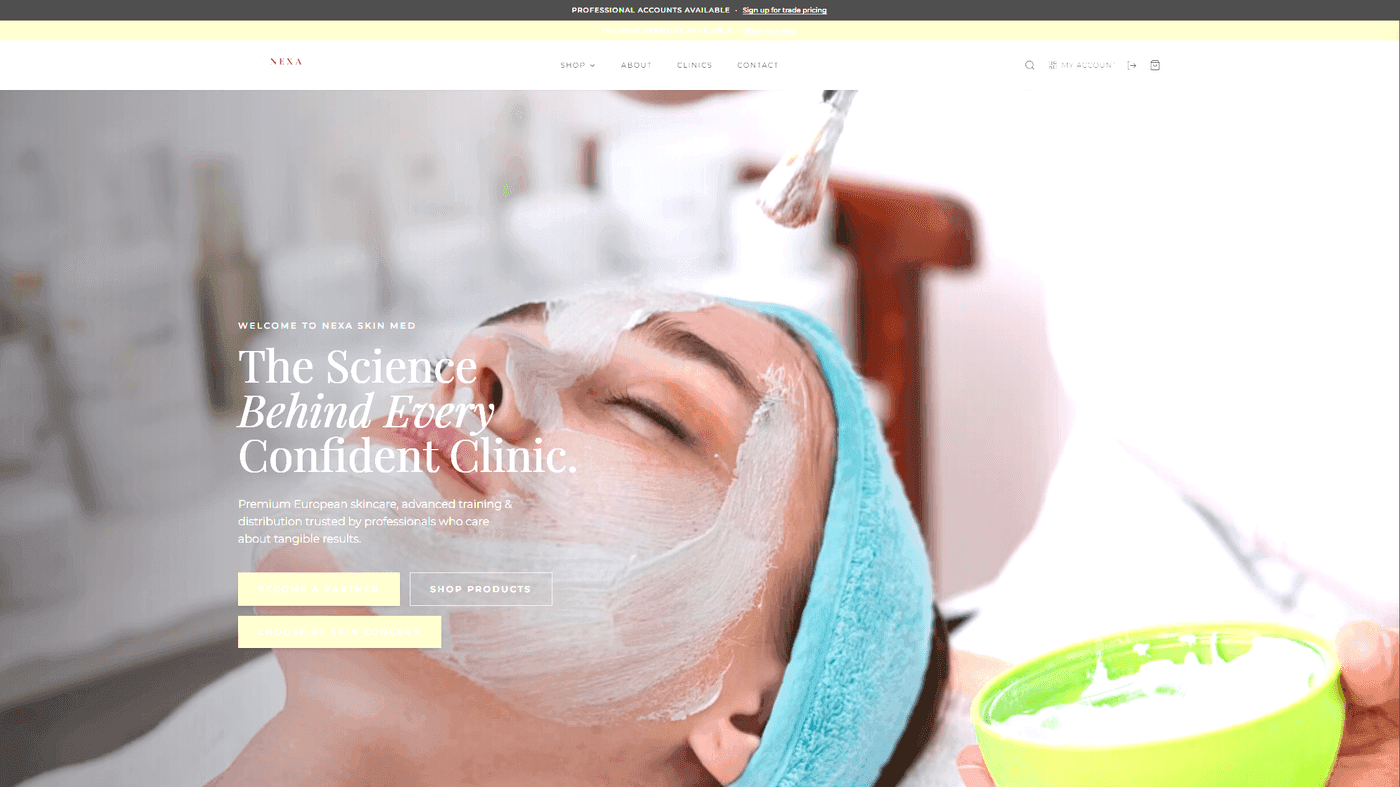
Take a look at some of our recent work like Nexa Skin Med or The Revision Hub and run them through a screen reader or accessibility checker. They hold up because accessibility was part of the brief from day one.
Getting Started with an Accessibility Audit
If you want to check your current website, start here:
- Run your site through WAVE (wave.webaim.org) or Google Lighthouse (built into Chrome DevTools). Both give you an immediate breakdown of failures.
- Tab through your site without using a mouse. Note anywhere you get stuck or cannot see where your focus is.
- Check contrast ratios using the WebAIM Contrast Checker.
- Review every image. Do they all have meaningful alt text?
These four checks alone will surface the most common issues.
If you are starting a new site or planning a redesign, the far more cost-effective approach is to build accessibility in from the beginning. Retrofitting an inaccessible site typically costs two to three times more than building it correctly in the first place.
Build It Right from the Start
Accessibility is not a legal box to tick. It is the baseline for a professional website that works for every person who visits it.
If you are building a new site or planning a redesign and want WCAG 2.2 AA compliance built in from day one, get in touch with TsvWeb. We include accessibility as standard across all our projects, not as an optional extra.