Webflow vs Custom Web Development: Which Is Right for Your Business?
Webflow is powerful for marketing sites and design-led landing pages. Custom development gives you full ownership, uncapped performance, and zero platform dependency. Here is how to choose between them.
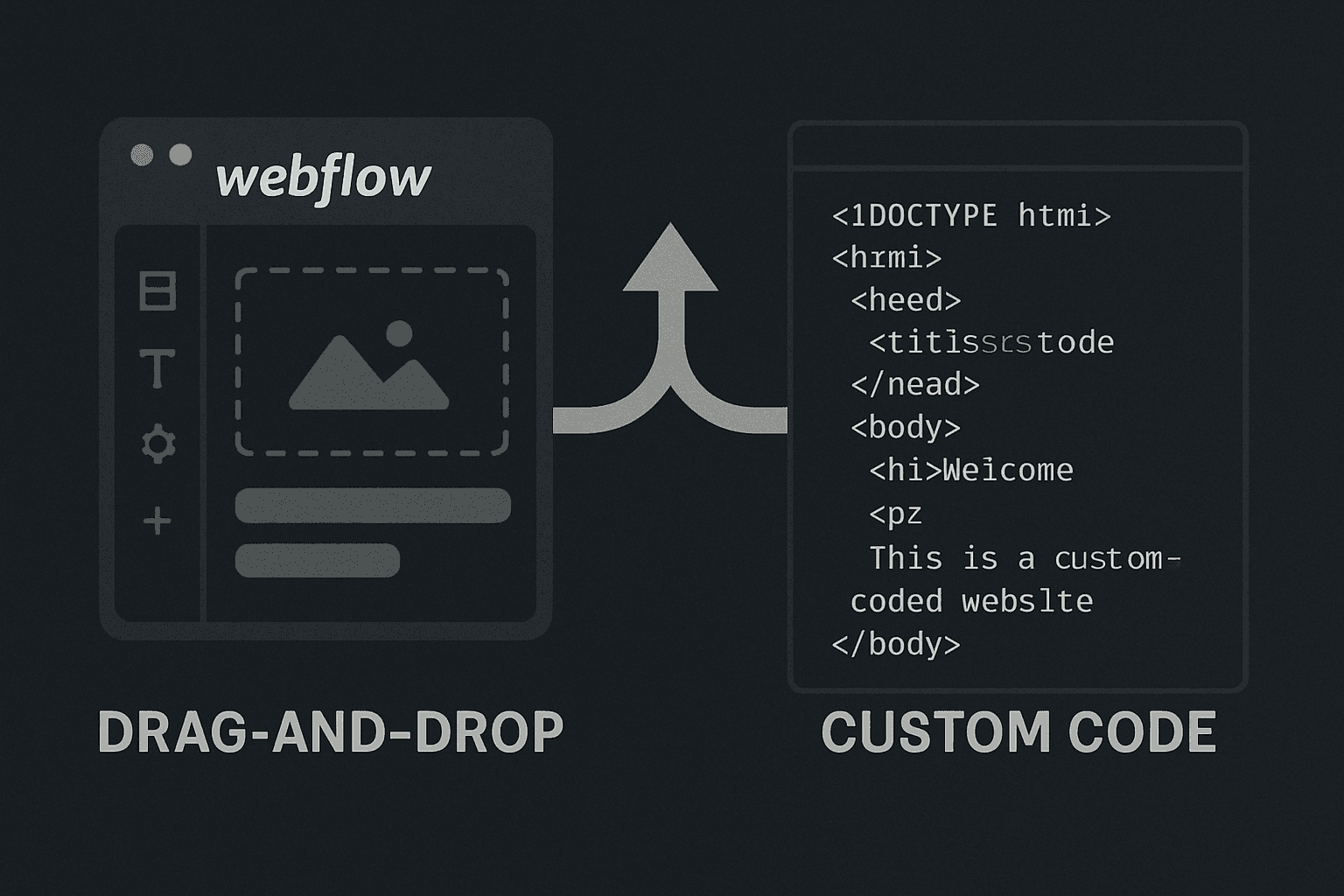
The Question Every Serious Business Eventually Asks
Webflow has grown into one of the most talked-about tools in web design. Millions of sites have been built on it. Designers love it. Agencies use it. Founders launch on it.
So when businesses ask whether they should go Webflow or custom development, the honest answer is: it depends on what you are building, how long you plan to use it, and what limitations you are willing to live with.
This is not a post that pretends Webflow is bad. It is a post that gives you a clear framework for making the right decision.
What Webflow Actually Does Well
Webflow sits in an interesting position: it is more powerful than page builders like Squarespace or Wix, but less flexible than custom development. For the right use case, that middle ground is exactly what you need.
Marketing sites and landing pages are where Webflow shines. If you need a clean, branded website with strong visual design, a blog, a contact form, and no complex back-end logic, Webflow delivers quickly and at a reasonable cost. The visual editor is genuinely excellent. You can produce a polished site without writing a line of code.
Design-led projects also benefit from Webflow's flexibility in the hands of a skilled designer. Motion, interactions, scroll effects -- Webflow handles these with less friction than hand-coded alternatives, assuming you stay within its structure.
Speed to launch is a real advantage. A well-scoped Webflow project can go from brief to live in a matter of weeks. For a business that needs a professional web presence fast, that matters.
Where Webflow Falls Short
The limitations become visible as your business grows and your requirements evolve.
Platform dependency. Your Webflow site lives on Webflow. If you decide to move -- to add custom functionality, improve performance, or simply own your codebase -- you cannot export clean, reusable code and walk away. You rebuild. For some businesses, that lock-in is an acceptable trade-off. For businesses planning multi-year growth, it is a structural risk worth taking seriously.
Hosting costs at scale. Webflow's hosting plans are fine at launch. As your traffic grows or you add team members, the costs climb steeply compared to deploying a Next.js site on Vercel or a similar edge network. At scale, self-hosted custom code is meaningfully cheaper.
Custom logic and dynamic data. Webflow's CMS works for blogs and basic structured content. The moment you need user accounts, role-based access, complex filtering, real-time data, or any kind of custom application logic, you are building outside Webflow's capabilities. Workarounds exist -- third-party integrations, Zapier pipelines, embedded JavaScript -- but they add maintenance overhead and introduce points of failure.
Performance ceiling. Webflow has improved its performance scores significantly in recent years. But a hand-built Next.js site, with static generation, optimised images, and clean code structure, consistently outperforms Webflow on Core Web Vitals. That performance gap translates into both search ranking and conversion rate advantages that compound over time.
What Custom Development Actually Means
"Custom development" covers a wide spectrum, so it is worth being specific about what matters.
At TsvWeb, every site is built in Next.js -- a React-based framework used by some of the largest products on the internet. It is the same stack powering platforms like Notion, Twitch, and Netflix at various levels. For business websites, it offers:
Full code ownership. The code belongs to you. You can host it anywhere, hand it to any developer, or build on top of it indefinitely. There is no platform that can change its pricing, deprecate a feature, or go out of business and take your site with it.
No performance ceiling. Next.js pages built with static generation are pre-rendered at deploy time and served from global edge networks. Load times under one second are routine. PageSpeed scores of 95 to 100 are achievable and maintainable.
Unlimited extensibility. Need user accounts? A quote system? A booking flow? A client dashboard? Custom e-commerce logic? These are all straightforward with custom code. There is no wall you hit that forces you to rethink the architecture.
Clean, maintainable code. Well-structured custom code is easier to maintain and extend than a Webflow site that has accumulated workarounds, custom embed scripts, and complex CMS relationships. Technical debt is lower over a five-year horizon.
How to Actually Choose Between Them
Use this framework:
Choose Webflow if: You need a polished marketing site or landing page in a short timeframe, your requirements are primarily content and visual design with no custom logic, you are comfortable with platform dependency for the medium term, and budget is a primary constraint.
Choose custom development if: You are building anything that requires custom application logic, user accounts, or third-party integrations beyond basic forms. If you plan to grow the site significantly over the next two to three years. If performance and Core Web Vitals matter for your SEO strategy. If you want complete ownership of your codebase now rather than having to rebuild later.
The businesses most likely to regret starting on Webflow are the ones that launch, grow, and then discover that the next phase of their website requires capabilities the platform cannot support. At that point, the cost is not just the rebuild -- it is the opportunity cost of the months where the site was a ceiling rather than a foundation.
What We See in Practice
We build exclusively in Next.js. That is not a default preference -- it is a deliberate choice based on what we have seen when businesses outgrow their platforms.
The pattern is consistent: a business launches on Webflow or a page builder, grows, needs something the platform cannot deliver, and then faces a rebuild anyway -- just later, with more technical debt and higher stakes.
Starting with custom development means the first build is also the foundation for everything that comes after. You are not paying twice.
If you are deciding between Webflow and custom development for your project, let us know what you are building. We will give you an honest assessment of which approach makes sense for your specific situation -- including the cases where Webflow genuinely is the right starting point.